反应- Yaml
有验证和语法突出显示为 React 组件的 Yaml 输入字段
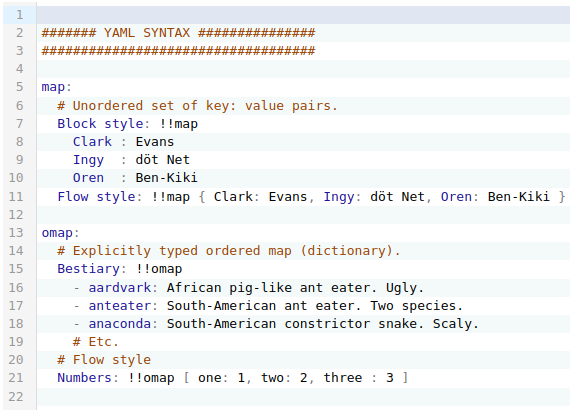
安装
npm i --save @focus-reactive/react-yaml
yarn add @focus-reactive/react-yaml
使用量
您可以通过 JS 对象作为初始值 :
import YamlEditor from '@focus-reactive/react-yaml';

const obj = { foo: 'bar' };
const handleChange = ({ json, text }) => {
  console.log(json);
  // { foo: 'bar' }
};

return <YamlEditor json={obj} onChange={handleChange} />;
也可以用YAML语法通过文字
import YamlEditor from '@focus-reactive/react-yaml';

const text = `
foo: bar
`;

const handleChange = ({ json, text }) => {
  console.log(text);
  // "foo: bar"
};

return <YamlEditor text={text} onChange={handleChange} />;
特征
- 可操作性( 使用 Codemiror 主题)
- 语法和出错突出显示
- 支持使用 YAML 格式的文本或常规 JS 对象
- 受控和无控模式
API 密码
您可以将以下道具传递给 Yaml Editor
乔森 - YAML 语法编辑器中输出的 JS 对象
文本 - YAML语法中的文本。 注意:如果两者都通过 json 财务报告和审定财务报表 text 道具 - 对 json 将被使用.
说明: 默认情况下, 编辑器将工作于 无控制 模式。 意味着: json 或者说 text 道具不会导致代码更新. 您可以控制这种行为 merge prop,即接受一个函数,您可以通过该函数定义如何更新编辑器中的文本.
主题 - 解码器 样式编辑器的主题 。 譬如说.
import { oneDark } from '@codemirror/theme-one-dark';
变化 - 一个召回启动 值 YAML 代码在编辑器中的更改. 发射时将采用下列参数:
onChange({ json, text });
其中: text 是编辑器中最后一个有效的文本编辑, json 与联合来文相当.
选择 - 文本选择时触发了调用。 发射时将采用下列参数:
onSelect({ selected, from, to });
其中: selected - 是一个选中的文本, from 财务报告和审定财务报表 to - 甄选职位
设置目录 - 当用户在编辑器中移动或设置光标时触发调用。 发射时将采用下列参数:
onSetCursor({ word, from, to });
其中: word - 是一个由白空间分隔的词, from 财务报告和审定财务报表 to - 开始和结束位置
错误 - 任何被召回 估价 编辑器中的代码更改。 发射时将采用下列参数:
onError(errorObject | null);
地点 errorObject 是代表 YAML 语法错误的 Codemirror 错误对象。 注意在编辑器中出现用户固定语法错误后,此功能将随 null。 。 。 .
合并 (可选) - 启动于 json 或者说 text 道具会变. 它可以比较新值和当前值,并返回将出现在编辑器中的结果. 发射时将采用下列参数:
merge({ json, text, currentText });
地点 json - 新的json道具, text 新文本道具,以及 currentText 是当前文本.
它应该用其中的一键返回对象: json 或者说 text 它应包含js值的新文本.
默认返回 currentText
动作 - 允许以必需的形式操纵编辑器
A. 所有行动 ref 道具 之后 编辑器保持不变:
const EditorWithActions = () => {
  const actions = React.useRef(null);

  React.useEffect(() => {
    // Here we have access to imperative actions
    actions.current.replaceValue({ json: { foo: 'updatedValue' } });
  }, []);

  return (
    <div>
      <YamlEditor json={{ foo: 'initValue' }} ref={actions} />
    </div>
  );
};
目前可采取以下行动:
替换值 - 用新值(json或文本)替换整个编辑器内容
replaceValue({ json, text });
贷项
2021 (英语)
