React-Yaml
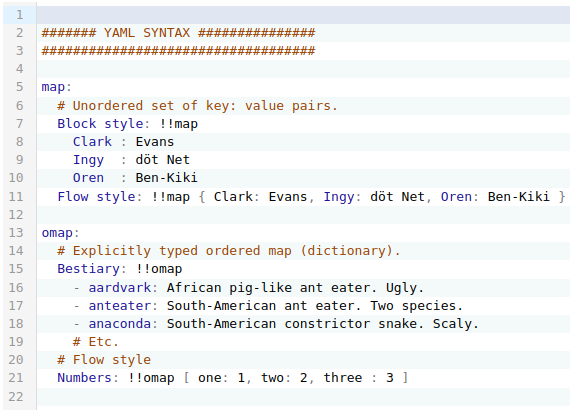
Yaml input field with validation and syntax highlighting as React Component
Install
npm i --save @focus-reactive/react-yaml
yarn add @focus-reactive/react-yaml
Usage
You can pass JS object as initial value:
import YamlEditor from '@focus-reactive/react-yaml';

const obj = { foo: 'bar' };
const handleChange = ({ json, text }) => {
  console.log(json);
  // { foo: 'bar' }
};

return <YamlEditor json={obj} onChange={handleChange} />;
Or you can pass a text with YAML syntax
import YamlEditor from '@focus-reactive/react-yaml';

const text = `
foo: bar
`;

const handleChange = ({ json, text }) => {
  console.log(text);
  // "foo: bar"
};

return <YamlEditor text={text} onChange={handleChange} />;
Features
- themable (use Codemirror themes)
- syntax and errors highlight
- support working with text in YAML format or regular JS objects
- controlled and uncontrolled mode
API
You can pass the following props to the YamlEditor
json - JS object that will be outputted in Editor in YAML syntax
text - Text in YAML syntax. Note: if you pass both json and text props - the json will be used.
Note: By default the Editor will work in uncontrolled mode. Means that changes in json or text props wouldn't cause code update. You can control this behavior with merge prop, that accept a function with which you can define how to update text in the Editor.
theme - Codemirror Theme to style editor. e.g.
import { oneDark } from '@codemirror/theme-one-dark';
onChange - a callback triggered on VALID YAML code changes in the Editor. It will be launched with the following parameters:
onChange({ json, text });
where: text is a last valid text editing in Editor, json is JS equivalent.
onSelect - a callback triggered on text selection. It will be launched with the following parameters:
onSelect({ selected, from, to });
where: selected - is a selected text, from and to - selection positions
onSetCursor - a callback triggered when user moves or set cursor on any word in the Editor. It will be launched with the following parameters:
onSetCursor({ word, from, to });
where: word - is a word separated by whitespaces, from and to - word start and end positions
onError - a callback triggered on any INVALID code changes in the Editor. It will be launched with the following parameters:
onError(errorObject | null);
where errorObject is Codemirror error object representing YAML syntax error. Note that after a user fixed syntax error in the Editor, the function will be launched with null.
merge (optional) - a function launched on json or text props changes. It can compare the new and the current values and return the result that will appear in the Editor. It will be launched with the following parameters:
merge({ json, text, currentText });
where json - the new json prop, text the new text prop, and currentText is the current text.
It should return an object with one of the keys: json or text which should contain new text of js value.
By default it returns currentText
Actions - allow to manipulate Editor in imperative form
All actions are available by a ref prop after the Editor is maintained:
const EditorWithActions = () => {
  const actions = React.useRef(null);

  React.useEffect(() => {
    // Here we have access to imperative actions
    actions.current.replaceValue({ json: { foo: 'updatedValue' } });
  }, []);

  return (
    <div>
      <YamlEditor json={{ foo: 'initValue' }} ref={actions} />
    </div>
  );
};
Currently available the following actions:
replaceValue - replace entire Editor content with a new value (json or text)
replaceValue({ json, text });
Credits
2021
